

As a seasoned advisor, I often help Finnish players move from desktop casino sites to dedicated mobile applications. The Cazeus Casino app is built to make that transition easy, but I recognize that loading any new application can feel uncertain at first. In Finland, mobile access is the popular way to play for many people, and a well-installed app can boost login speed, game loading times, and overall navigation. From my work, the most common concerns are file sources, device permissions, and whether the app will keep to work after a system update. I will walk through these topics patiently and objectively. This guide details what you need to know before you download, how installation functions on the two main mobile platforms, and what to expect once the app is operational. I will also share practical device compatibility notes so that you can sidestep unnecessary frustration. Although the process is not complicated, taking a few minutes to grasp it can save you time later.
The Reason the Cazeus Casino App Is Ideal for Finnish Players
When I talk to players in Finland, I notice that convenience is usually the key factor. The Cazeus Casino app removes the requirement to input a web address each time and offers a quick access point to your preferred games. Finnish players often value privacy and clarity, and a dedicated app can deliver a cleaner interface than a mobile browser. From my perspective, the app also handles screen rotation and touch controls better than a browser tab. Because many Finnish users play during commutes or while unwinding at home, the ability to access the app quickly is key. The installation itself is not a complex technical task, but it requires attention to your device settings. I suggest using solely the official app page for Cazeus Casino Finland, as this confirms the version is intended for your region and reduces the risk of outdated files. From a practical perspective, the app can also offer faster access to account tools, responsible gaming features, and customer support. I note that once Finnish players complete the installation, they rarely return to the browser version.
Setting Up Your Mobile Device for Setup
Before you start any installation, I advise Finnish players to check a few basic settings on their phone or tablet. To begin, make sure your device has enough free storage space. Casino apps are not generally very large, but a crowded device can slow down the process and cause unforeseen problems. You should also confirm that your operating system is current, because older versions can sometimes hinder newer app features or security protocols. For Android users, you may be required to turn on installations from unknown sources if the app is offered outside the Google Play Store. For iOS users, the installation typically follows Apple’s system prompts, which are quite straightforward to accept. I also recommend a stable internet connection, preferably Wi-Fi, to prevent interrupted downloads. In Finland, mobile data is trustworthy, but Wi-Fi remains the safer choice for a first-time installation. Finally, have your Cazeus Casino login details prepared if you already have an account, although installation does not require them. This preparation stage takes only a few minutes and lowers the chance of errors. I treat this as a short insurance step rather than an inconvenience.
Downloading the Cazeus Casino App for Android
For Android devices, the installation path may seem slightly different from what some Finnish users expect. In many situations, the Cazeus Casino app for Android is distributed as an APK file from the official app page rather than through the Google Play Store. I always tell players to have their browser open at that page and avoid third-party download sites, because those can contain harmful files or outdated versions. Once the file is acquired, your phone may show a alert about unknown apps. You will need to give permission for the browser or file manager to install the app. After that, clicking the file should begin the installer. I suggest reading each system prompt carefully before accepting any permission. The app will then be positioned on your home screen with the other applications. If the download does not start, check your browser settings or try a different browser, such as switching from Chrome to Firefox. It is also advisable to delete the APK file after installation to maintain your storage tidy and prevent accidental reinstalls.
Primary Features Offered After Installation
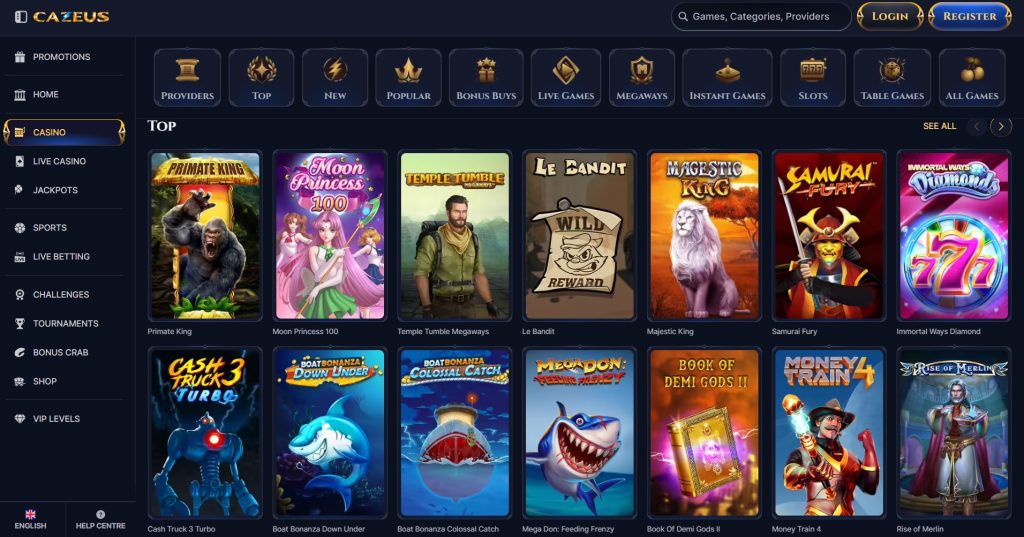
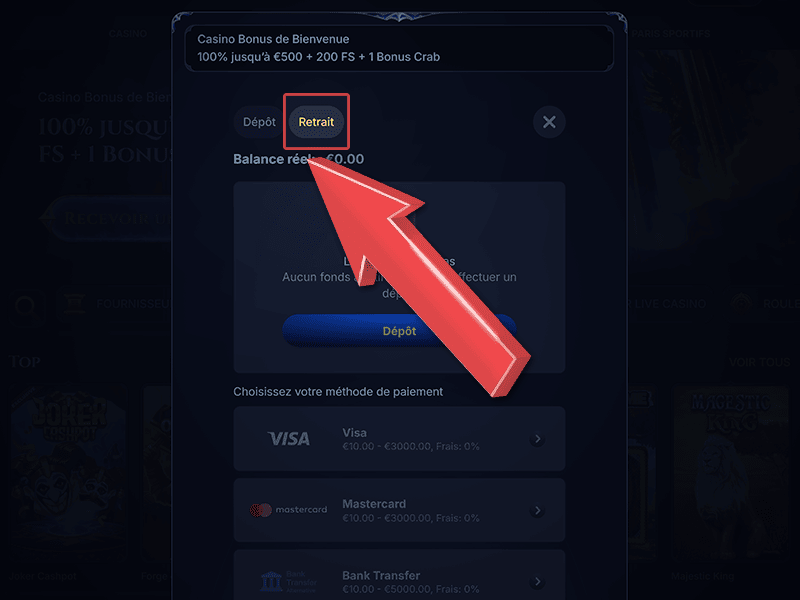
After the Cazeus Casino app is installed, I typically guide Finnish players toward the options that count most in everyday use. The app provides you direct entry to your account, such as deposits, withdrawals, and transaction history. Game categories are organized for touch navigation, which renders it more convenient to find slots, table games, and live casino options. I find that loading times are frequently shorter than in a mobile browser, especially when you go back to the same game several times during a session. Push notifications can keep you notified about new promotions, but you can modify these in your device settings if you prefer a quieter experience. The app also supports responsible gaming tools, like deposit limits and session reminders, which I consider as essential for Finnish players. Customer support access is typically one tap away, and the interface is designed to stay readable on smaller screens. These features are not limited to the app, but they are more accessible once it is installed. The overall design seems cleaner and less cluttered than many mobile sites. I discover this particularly useful when playing live casino games that require quick decisions.
Downloading the Cazeus Casino App via iOS
On iOS devices, the process remains more controlled because Apple oversees installations through its own environment. Finnish users with an iPhone or iPad will generally be directed through a series of system prompts after tapping the download option on the official Cazeus Casino page. I advise reviewing the profile or permission request thoroughly before confirming, because installing an unknown profile can impact your device security settings. In some scenarios, you might be required to trust an enterprise developer certificate, relying on the manner the app is distributed. For standard App Store setups, the familiar Face ID or Apple ID confirmation will pop up. After installation, the app icon should be visible on your home screen. If the icon does not display, I recommend examining your App Library and home screen settings. One benefit for Finnish iOS customers is that updates and security patches often get delivered without much manual work. Still, I recommend confirming that the app version corresponds to the one promoted for Finland, especially after major updates. This extra check needs only a few seconds.
Device Compatibility and Technical Specs
One of the first questions I receive from Finland-based players is that the app will operate on their certain phone or tablet. Based on my experience, most modern Android and iOS devices manage the Cazeus Casino app without difficulty. For Android, I advise using a device with Android 8.0 or newer, at least 2 GB of RAM, and a screen size of five inches or larger for convenient play. For iOS, devices running iOS 12 or later are usually supported, though newer versions give the best results. Tablets are also usable, which is good news for players in Finland who favor a larger display and more roomy controls. Storage space above 200 MB is often sufficient, but having 1 GB free provides room for updates and temporary files. If your device is several years old, the app may still install, but performance can vary depending on processor speed and memory. I consistently advise checking that your system software is up-to-date before making conclusions about compatibility issues, since a simple update can solve many apparent problems.
Ensuring Security and Refreshing the App
Preserving the Cazeus Casino app protected and up to date is aspect of responsible mobile play. Finnish players frequently ask me whether they need to manually download a new version every time. The solution relies on the platform. On iOS, updates usually come through the standard system prompts or the App Store, so limited manual work is needed. On Android, you could need to revisit the official app page when a major update is released, because the APK distribution model does not always support automatic updates. I recommend enabling automatic updates when possible, because updated apps include crucial security improvements and bug fixes. You should also avoid using modified versions or files from forums, because those can endanger your device and account. A robust screen lock and updated operating system add another layer of protection. From my viewpoint, the most secure routine is clear: download from the official Cazeus Casino source, ensure your device current, and reinstall from the same source if you once change phones or reset your device. Security habits build quietly over time.
Fixing Frequent Installation Problems
Despite careful preparation, a Finnish player may from time to time face a stopped installation or a stuck download. In my experience, the most typical Android issue is the unknown sources option, which must be activated for the browser or file manager ahead of the APK can be launched. If the app fails to start after installation, restarting the phone often resolves temporary conflicts. On iOS, a missing icon is typically solved by browsing the App Library or rebooting the device. Another issue I see is an interrupted download due to network switching, so I recommend staying on one Wi-Fi network until the process completes. If storage is low, deleting old videos or unused apps can assist. For any ongoing error, the Cazeus Casino support team can provide guidance. I remind players not to pursue workarounds from unofficial sources, as these often cause more problems than they resolve. A calm, step-by-step approach is nearly always enough to accomplish the installation without outside help. Most problems are tied to a single setting or network hiccup.
FAQ
Has the Cazeus Casino app accessible for both Android and iOS in Finland?
Certainly, the app is obtainable for both major mobile platforms. Finnish players can set up it on Android devices through the official APK file and on iOS devices through Apple’s standard installation prompts. I always recommend checking the official Cazeus Casino page for the correct Finnish version, because regional availability can shift. This ensures you receive the right file and avoid third-party copies that may be outdated.
Do I need to visit the official app page to download the installation file?
Absolutely, I strongly advise using only the official Cazeus Casino app page for Finland. This is the most reliable way to acquire the current version of the app. Third-party download sites may host older or modified files that can lead to errors or security risks. Maintaining the official page open is.fi during the process also allows it easier to follow the correct steps if a prompt shows on your screen.
For what reason does my Android phone prevent the installation?
Android prevents installations from sources that are not recognised by default. When you get the Cazeus Casino APK, the system may request you to allow installations from your browser or file manager. This is a standard security measure, not a indication that the file is unsafe. I suggest enabling the permission only for the current installation and then leaving the configuration unchanged for other apps.
Is it possible to install the Cazeus Casino app for a tablet?
Yes, the app functions on numerous tablets, like iPads and Android tablets. A more spacious screen boosts navigation and make table games more straightforward to play. I advise Finnish players to check the equivalent system requirements as for phones, like available storage and operating system version. If your tablet satisfies those fundamentals, the installation process ought to be very similar to a phone.
How to update the Cazeus Casino app after installation?
The update method is determined by your device. On iOS, updates often appear through Apple’s standard system, commonly automatically. On Android, you may need to go back to the official app page and get a new APK when a major update https://www.iltalehti.fi/digi/a/201702012200063547 is announced. I suggest checking the page periodically or turning on notifications from Cazeus Casino. Consistently update from the very same official source to maintain your app and account safe.
Is the app safe to use for Finnish players?
Indeed, as provided that you set up it from the official Cazeus Casino source and ensure your device updated. The app utilizes standard mobile security protocols to safeguard your account information. I also recommend using a screen lock and steering clear of modified versions from unknown forums. In Finland, responsible gaming tools are part of the app, which offers another layer of control for your sessions.
